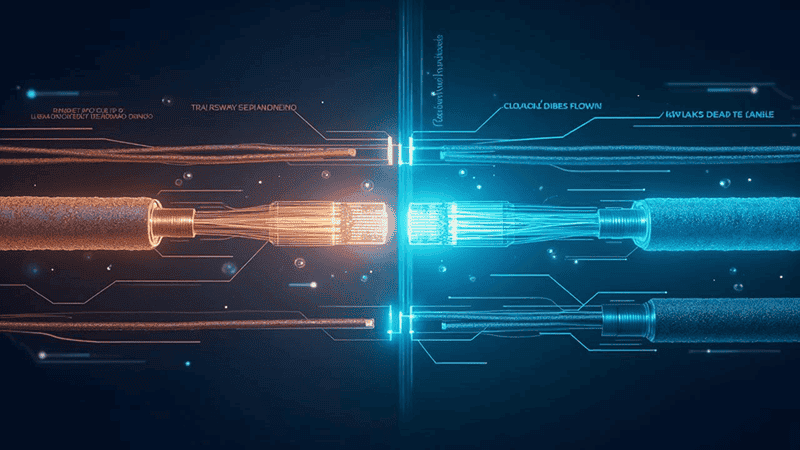
Choosing between broadband and fiber internet is one of the most important decisions you will make for your home or business connectivity. Both promise high-speed internet access, but the underlying technology—and the real-world experience—differ dramatically. With remote work, 4K streaming, online gaming, and smart home devices becoming increasingly common, understanding these differences has never been more critical.
In this comprehensive guide, we will explain exactly what broadband and fiber internet are, dive deep into their technical differences, compare real-world performance, and help you determine which connection type is the best fit for your specific needs and budget. All speed figures use Mbps — if you're unsure how that translates to megabytes, our Mbps vs MBps guide clears it up. Whether you are a casual browser, a competitive gamer, or running a home-based business, this guide will give you the knowledge to make an informed decision.
What Is Broadband Internet?
Broadband is a general term for high-speed internet connections that are always on and faster than traditional dial-up. The term "broadband" encompasses several different technologies, each with its own characteristics, strengths, and limitations:
DSL (Digital Subscriber Line)
Uses existing copper telephone lines to transmit data. ADSL offers 5-24 Mbps, while VDSL can reach 100 Mbps. Speed depends heavily on distance from the telephone exchange—the farther you are, the slower your connection.
Cable Internet (HFC - Hybrid Fiber-Coaxial)
Uses the same coaxial cables as cable TV. Modern DOCSIS 3.1 technology enables speeds up to 1 Gbps download, though actual speeds typically range from 100-500 Mbps. Upload is usually much lower than download, but how much lower depends on the network: older cable plans often top out at a few tens of Mbps upstream, while operators that have upgraded parts of their network (for example with a mid-split or high-split upgrade, which reserves more of the coax spectrum for upstream traffic) can offer considerably higher upload tiers. The typical upload speed for a specific plan at your address is listed on its FCC Broadband Facts label.
Fixed Wireless (4G/5G)
Uses cellular networks to deliver home internet. 5G fixed wireless can offer fiber-like speeds (up to 1 Gbps) in optimal conditions, but performance varies significantly based on signal strength and network congestion.
Satellite Internet
Uses satellites to provide internet in remote areas. Traditional satellite has high latency (500-700ms), but newer LEO satellites like Starlink offer 20-40ms latency with speeds of 50-200 Mbps.
✅ Advantages of Traditional Broadband:
- Wide availability — cable or DSL reaches most US addresses
- Low-cost entry tiers — cheaper basic plans are common
- Often self-install — uses existing coax or phone wiring
- Multiple speed tiers — choose a plan that fits your budget
- Proven technology — decades of reliability improvements
⚠️ Disadvantages:
- Asymmetrical speeds — upload is usually well below download (the gap is smaller on upgraded cable networks)
- Higher latency than fiber — especially on DSL
- Shared bandwidth — speeds drop during peak hours (cable)
- Distance-dependent — DSL speed degrades with distance
- Line condition matters — corroded or water-damaged copper and coax cause drop-outs
Want to see how much latency your current connection adds? Run our free ping test to measure round-trip time in milliseconds, or check overall throughput with the internet speed test.
What Is Fiber Internet?
Fiber internet uses fiber optic cables—thin strands of glass or plastic that transmit data as pulses of light. This fundamentally different approach to data transmission enables speeds and reliability that copper-based technologies simply cannot match.
Light in glass fiber travels at roughly two-thirds of its speed in a vacuum — about as fast as signals in copper. Fiber's advantage is not raw signal speed but capacity: a single strand carries enormous bandwidth with very little signal loss over long distances. US residential fiber plans typically range from 300 Mbps to multi-gigabit tiers.
Fiber Internet Performance Characteristics:
Download Speed
300–8,000+ Mbps
Upload Speed
Often equal to download
Latency
Lowest of wired types
Interference
Immune to electrical noise
Types of Fiber Connections:
FTTH (Fiber to the Home) — Best Performance
Fiber runs directly to your home or apartment. This is true fiber internet and delivers the full performance benefits. Also known as FTTP (Fiber to the Premises).
FTTC (Fiber to the Curb/Cabinet)
Fiber runs to a neighborhood cabinet, then copper (coaxial or phone lines) completes the connection to your home. Performance is better than pure DSL but not as good as FTTH.
FTTN (Fiber to the Node)
Fiber runs to a neighborhood node serving many homes, with copper completing longer distances to each home. This is essentially enhanced DSL and has significant limitations.
✅ Advantages of Fiber:
- Fastest available speeds — multi-gigabit residential tiers in many areas
- Symmetrical connection — upload equals download speed
- Lowest latency of wired options — ideal for gaming and video calls
- Plenty of headroom — capacity is shared among nearby homes, but peak-hour slowdowns are rare
- Future-proof — easily upgradeable to higher speeds
- No electrical interference — glass doesn't pick up electromagnetic noise
⚠️ Disadvantages:
- Limited availability — still unavailable at many addresses, especially rural ones
- Installation effort — usually a technician visit, sometimes drilling or a new line
- Price varies — can cost more in some markets, though often comparable for similar speeds
- Requires new infrastructure — may not be available in older buildings
- Power dependent — ONT requires electricity
Broadband vs Fiber: Complete Comparison
Here is a comprehensive comparison of broadband and fiber internet across all key performance metrics:
| Factor | Broadband (DSL/Cable) | Fiber Internet |
|---|---|---|
| Download Speed | 10–500 Mbps | 500–10,000 Mbps |
| Upload Speed | Usually well below download; varies by plan and network upgrade | 500–10,000 Mbps (often symmetrical) |
| Latency (Ping) | Low on cable, higher on DSL | Lowest of wired connections |
| Stability | Can fluctuate during peak hours | Typically very stable |
| Interference | Copper and coax pick up electrical noise; damaged lines cause drop-outs | Immune to electromagnetic interference |
| Distance Degradation | DSL weakens noticeably with distance | Negligible over typical access distances |
| Availability | Cable or DSL at most US addresses | Growing quickly; varies by address |
| Monthly Cost | Varies by provider and tier | Often comparable for similar speeds |
| Installation | Often self-install on existing wiring | Usually a technician visit; fees vary |
Technology Deep Dive: How They Work
Understanding the underlying technology helps explain why fiber and broadband perform so differently:
| Technology | Medium | Max Theoretical Speed | Typical Real Speed |
|---|---|---|---|
| DSL (ADSL) | Copper phone lines | 24 Mbps | 5–15 Mbps |
| DSL (VDSL) | Copper phone lines | 100 Mbps | 25–70 Mbps |
| Cable (DOCSIS 3.0) | Coaxial cable | 1 Gbps | 100–300 Mbps |
| Cable (DOCSIS 3.1) | Coaxial cable | 10 Gbps | 300–1,000 Mbps |
| Fiber (GPON) | Fiber optic | 2.5 Gbps (shared per PON) | Plans up to 1,000 Mbps |
| Fiber (XGS-PON) | Fiber optic | 10 Gbps symmetrical (shared per PON) | Plans from 1 to about 8 Gbps |
| 5G Fixed Wireless | Radio waves | 4 Gbps | 100–500 Mbps |
| Satellite (Starlink) | Radio waves | 500 Mbps | 50–200 Mbps |
Why Fiber Is Fundamentally Different
The key difference lies in how data is transmitted:
- Copper (DSL/Cable): Data is transmitted as electrical signals. These signals degrade over distance, are susceptible to electromagnetic interference, and have physical bandwidth limitations.
- Fiber Optic: Data is transmitted as pulses of light through glass fibers. Light does not degrade significantly over distance, is immune to electromagnetic interference, and can carry vastly more data.
- Shared capacity: Both share capacity among neighbors. Cable shares a node; most fiber networks (PON) split one fiber among up to a few dozen homes, but with much more capacity per home, so congestion is far less common.
- Symmetrical vs Asymmetrical: Most copper technologies allocate more bandwidth for downloads. Fiber naturally supports equal speeds in both directions.
Speed Requirements by Activity
Different online activities have different speed and latency requirements. Use this table to determine what connection type you need:
| Activity | Minimum Speed | Recommended Speed | Best Connection Type |
|---|---|---|---|
| Basic browsing & email | 5 Mbps | 10 Mbps | Any broadband |
| HD video streaming (1080p) | 5 Mbps | 15 Mbps | Cable or Fiber |
| 4K video streaming | 15–25 Mbps | 50 Mbps | Cable or Fiber |
| Video conferencing | 3 Mbps up/down | 10 Mbps up/down | Fiber (symmetrical) |
| Online gaming | 10 Mbps | 50+ Mbps | Fiber (low latency) |
| Working from home | 25 Mbps | 100+ Mbps | Fiber recommended |
| Smart home (10+ devices) | 50 Mbps | 200+ Mbps | Fiber recommended |
| Content creation/streaming | 20 Mbps upload | 50+ Mbps upload | Fiber or high-upload cable |
Which Option Is Better for You?
The best choice depends on your specific circumstances:
🏠 Choose Fiber If You:
- Work from home with regular video calls and file uploads
- Have multiple family members streaming or gaming simultaneously
- Play competitive online games where latency matters
- Upload content to YouTube, Twitch, or cloud storage regularly
- Run a home-based business
- Want the most future-proof connection available
📺 Cable Broadband Is Sufficient If You:
- Mainly browse the web and check email
- Stream video on 1-2 devices at a time
- Do not upload large files regularly
- Play casual (non-competitive) games
- Have a limited budget and fiber is significantly more expensive
- Fiber is not available in your area
🏞️ Consider Alternatives If:
- You live in a rural area — check for 5G fixed wireless or Starlink
- Only DSL is available — consider mobile hotspot as backup
- Building infrastructure is too old — discuss options with landlord/ISP
👉 Bottom Line: If fiber is available at your address and fits your budget, it is the superior choice in virtually every scenario. The slightly higher cost is offset by dramatically better performance and reliability.
Real-World Use Cases: Detailed Analysis
💼 Working from Home
Remote work demands have made internet quality more important than ever. Here is how each option performs:
Cable Broadband
- Handles video calls well on most current plans
- Upload speed varies widely between plans
- Large uploads take longer on low-upload tiers
- Peak-hour congestion can affect calls on busy nodes
Fiber Internet
- Very consistent video calls
- Uploads as fast as downloads on symmetrical plans
- Large uploads finish quickly
- Little peak-hour slowdown
🎮 Online Gaming
For gamers, latency (ping) is often more important than raw speed. Here is why fiber has the edge:
Cable Broadband
- Low ping on most plans, a little higher than fiber
- Occasional lag spikes during peak hours
- Jitter can cause inconsistent gameplay
- Game downloads take longer
Fiber Internet
- Lowest ping of wired connections
- Rarely affected by peak-hour congestion
- Very low jitter for smooth gameplay
- Large game downloads finish much faster (if the game server keeps up)
📺 Streaming Entertainment
For streaming 4K content on multiple devices simultaneously:
Cable Broadband (100 Mbps)
- Supports several simultaneous 4K streams (Netflix recommends 15 Mbps each)
- May buffer during peak hours
- HD fallback when bandwidth is constrained
- Sufficient for most households
Fiber Internet (1 Gbps)
- Supports 20+ simultaneous 4K streams
- Buffering is rarely caused by the connection
- Headroom for downloads and calls alongside streaming
- Bandwidth for future higher-resolution content
🏡 Smart Home Devices
Modern homes often have 20-50 connected devices. Each device needs bandwidth and contributes to network congestion:
- Security cameras: roughly 1–4 Mbps upload each for continuous cloud recording
- Smart displays: 3-5 Mbps for video calls and streaming
- IoT devices: Low bandwidth but many simultaneous connections
- Cloud backups: Continuous upload needs symmetrical speeds
How to Choose: Step-by-Step Guide
Follow these steps to make the right decision for your home:
Test Your Current Connection
Run a speed test to measure your current download speed, upload speed, and latency. This establishes a baseline and helps identify whether you actually need an upgrade.
Assess Your Usage Requirements
Count the number of devices in your household and consider activities like 4K streaming, video calls, gaming, and cloud backups. Each 4K stream needs about 15–25 Mbps, and an HD video call about 2–4 Mbps in each direction.
Check Local Availability
Contact local internet service providers or use online availability checkers to see which connection types (fiber, cable, DSL) are available at your specific address.
Compare Plans and Pricing
Get quotes from available providers for comparable speed tiers. Consider both monthly costs and installation fees. Look for contract terms and any promotional pricing that may increase after the initial period.
Consider Future Needs
Think about how your internet usage might grow. More devices, higher resolution streaming, and emerging technologies like VR all require more bandwidth. Fiber is more future-proof than cable or DSL.
Schedule Installation
Once you have chosen a provider, schedule installation. For fiber, this may require a technician visit to install an ONT. Plan for 2-4 hours of installation time and ensure someone is home.
Verify Performance After Installation
After installation, run multiple speed tests at different times of day to verify you are getting the speeds you are paying for. Test both wired and wireless connections to ensure optimal setup.
Step 1: Test Your Current Speed
Before making any decisions, see how your current connection performs:
Troubleshooting Common Issues
🐌 Slow Speeds with Broadband?
Several factors can affect broadband performance:
- Network congestion: Try using the internet during off-peak hours (early morning or late night)
- Outdated equipment: Ensure your modem and router support your plan's speeds
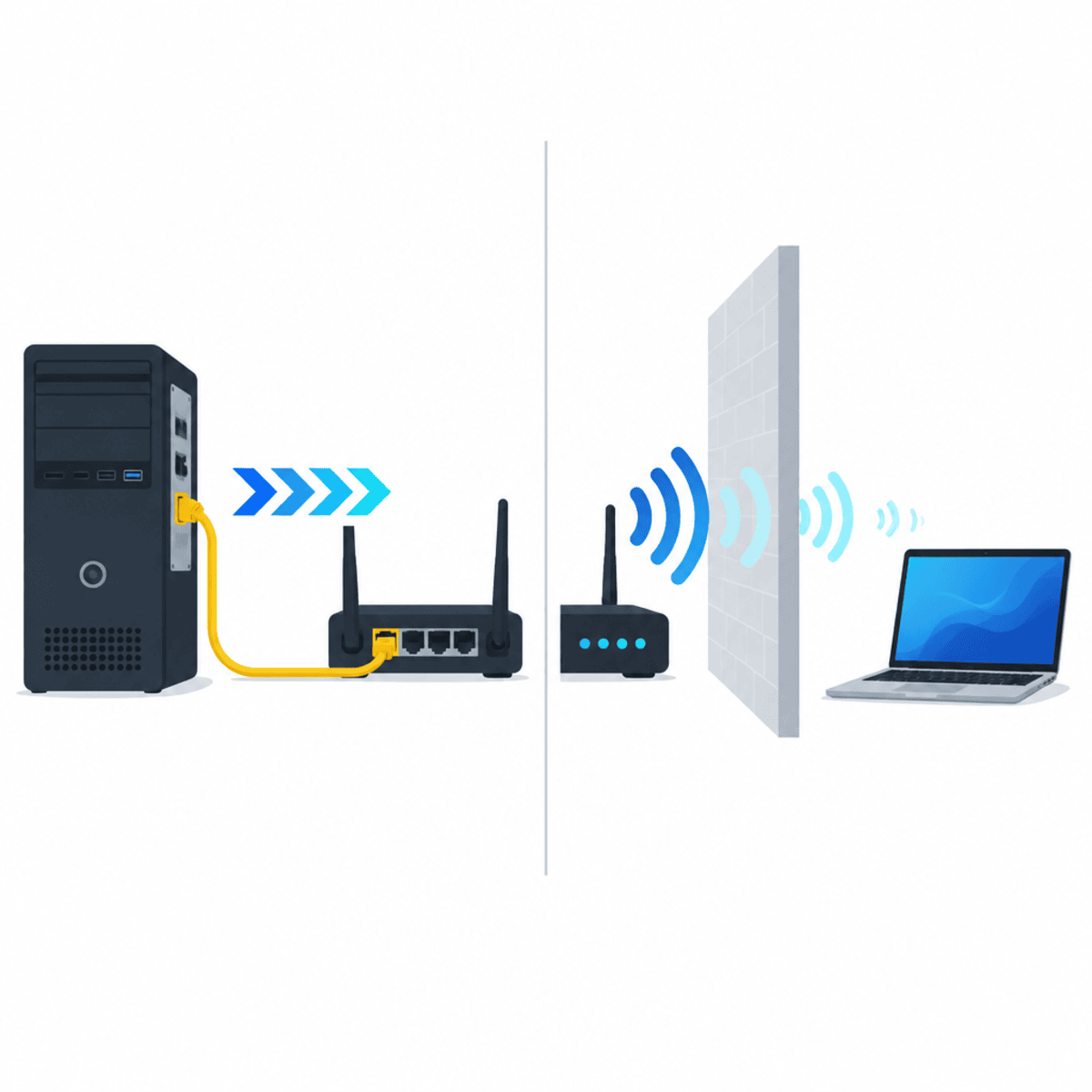
- WiFi interference: Switch to 5GHz band or use ethernet for best speeds
- Too many devices: Prioritize traffic with QoS settings on your router
- ISP throttling: Use a VPN to test if your ISP is throttling certain traffic
Learn more in our guide: Why Is My Internet So Slow?
📶 WiFi Not Reaching Full Speed?
Your WiFi setup may be limiting your connection:
- Router placement: Position centrally and elevated, away from walls and appliances
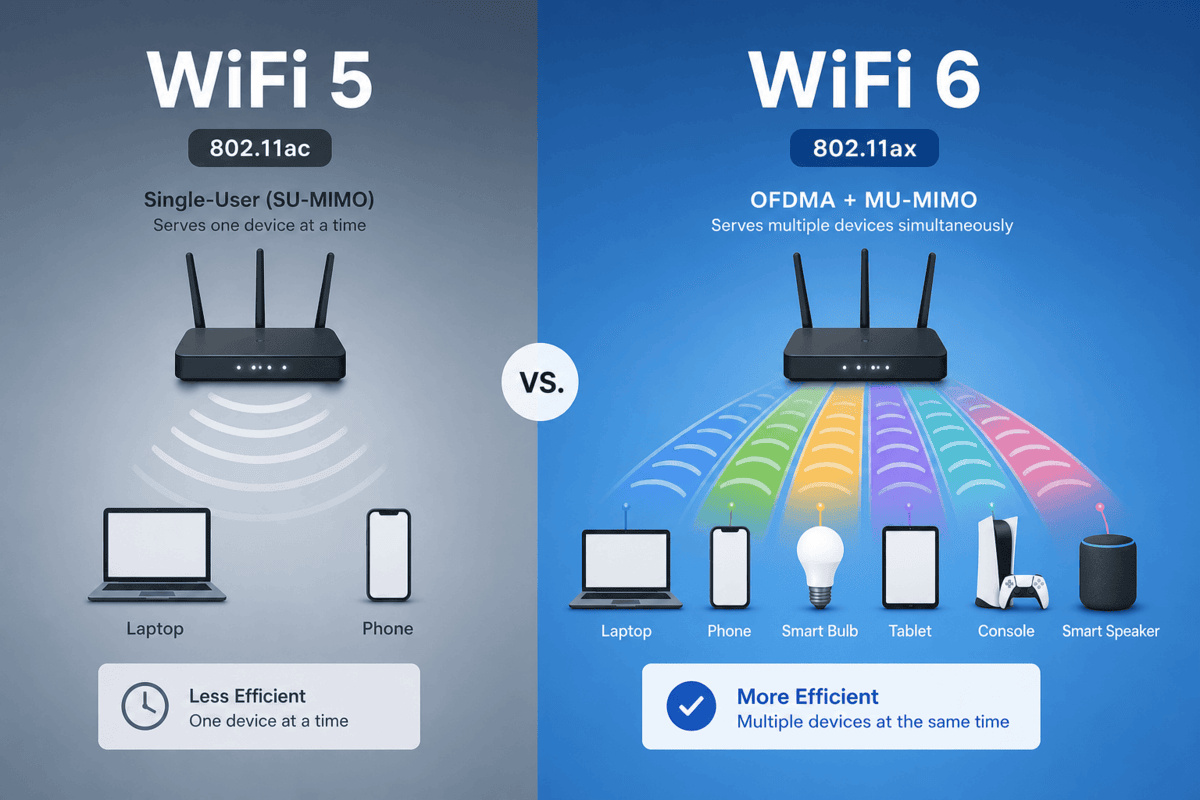
- WiFi standard: Upgrade to WiFi 6 (802.11ax) for gigabit wireless speeds
- Channel optimization: Use less congested channels (1, 6, 11 for 2.4GHz)
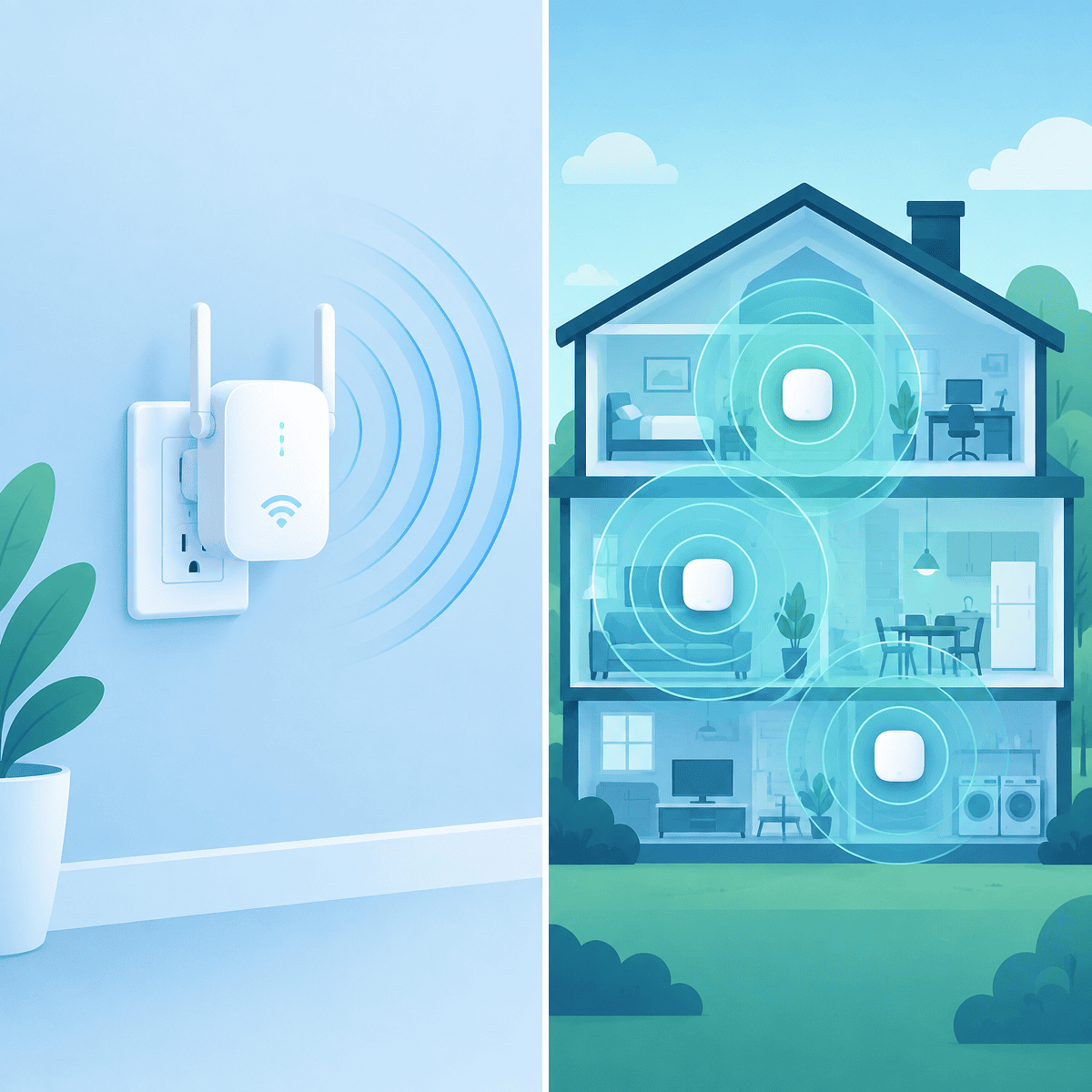
- Mesh system: Consider mesh WiFi for large homes with dead zones
Get detailed tips in our WiFi improvement guide.
🔧 Fiber Not Performing as Expected?
Even fiber can underperform if equipment is misconfigured:
- Router bottleneck: Ensure your router supports gigabit speeds
- Ethernet cables: Use Cat 6 or Cat 6a cables for full speed
- Device limitations: Older devices may not support gigabit WiFi
- ONT placement: Ensure good ventilation to prevent overheating
Frequently Asked Questions
Is fiber internet better than broadband?
Fiber is a type of broadband, and usually the best one where it is available. Compared with cable and DSL it typically offers symmetrical upload and download speeds, the lowest latency of wired connections, multi-gigabit tiers and very stable performance at peak times. Its main drawback is availability: it still does not reach every address.
How much faster is fiber than cable internet?
It depends on the plans. Many cable plans offer several hundred Mbps to about 1 Gbps download, and fiber plans range from about 300 Mbps to multi-gigabit tiers. The bigger difference is upload: fiber plans are often symmetrical, while cable upload is usually much lower than download (how much lower depends on the plan and on network upgrades). Fiber also tends to have lower latency.
Is fiber worth the extra cost?
Often there is little or no extra cost for comparable speeds, and fiber is especially worth it if you work from home with video calls and large uploads, have several people streaming at once, play online games where latency matters, or back up a lot to the cloud. Compare the full price after any promotional period, equipment fees and installation costs.
Can I get fiber internet in my area?
Check an address-level availability tool: in the US, the FCC National Broadband Map (broadbandmap.fcc.gov) lists the providers and technologies reported at your address, and each provider's own address check confirms what you can actually order. Fiber coverage is expanding, but availability still varies street by street.
What equipment do I need for fiber internet?
An Optical Network Terminal (ONT), usually installed by the provider, converts the light signal to Ethernet. Behind it you need a router that can handle your plan's speed, and Cat 5e or better Ethernet cables (Cat 6 for multi-gigabit plans) for wired devices. Many providers include a router or let you use your own.
Does fiber internet work during power outages?
Not without backup power. The fiber itself is passive, but the ONT and router in your home need electricity. A small UPS (battery backup) can keep both running during short outages; the provider's network equipment usually has its own backup power.
Is fiber internet more reliable than cable?
Generally yes. Glass fiber is immune to electromagnetic interference, and fiber networks usually have far more capacity per home, so peak-hour slowdowns are rare. Most fiber networks (PON) still share capacity among nearby homes, and any connection can fail through cable damage or power outages, but day-to-day performance is typically very consistent.
How long does fiber internet installation take?
The installation appointment typically takes a few hours. If fiber already runs to your building, service can start within days to a few weeks of ordering; if a new line has to be run to your home, it can take longer.
The Future: What's Coming Next
Internet technology continues to evolve rapidly. Here is what to expect in the coming years:
- 10G PON Fiber: Residential fiber speeds up to 10 Gbps are already being deployed in some areas
- WiFi 7 (802.11be): Now shipping in premium routers, delivering speeds up to 46 Gbps with significantly lower latency
- 5G Fixed Wireless: Expanding rapidly as a fiber alternative in areas without wired infrastructure
- Low Earth Orbit Satellites: Starlink and competitors bringing broadband to previously unserved rural areas
- DOCSIS 4.0: Cable technology upgrade enabling up to 10 Gbps download and 6 Gbps upload over existing coaxial
What a Switch to Fiber Actually Involves
Deciding in favour of fiber is the easy part. The installation is a physical job, and knowing the sequence in advance prevents most of the frustration people report about it.
- Serviceability check. Coverage maps show streets, not homes. Only an address-level check confirms that the connection reaches your building rather than the cabinet nearby.
- Permission, if you rent. Running a new line into a building usually needs the owner's consent. Ask early — this is the step that most often delays an installation by weeks.
- The line into the building. Where a duct already exists, this is quick. Where one does not, it can require digging, and the date depends on the contractor rather than the provider.
- The termination point. A small box, the ONT, is mounted where the fiber enters. Its placement matters: it should sit near where the router will live, not in a garage at the far end of the house.
- Router and activation. The router connects to the ONT and the service comes up, usually the same day the line is terminated.
- Overlap and cancellation. Keep the old connection running for a week or two, confirm the new one performs, and only then cancel — watching the notice period on the old contract.
Two practical points get overlooked. First, existing in-home wiring rarely carries over: coaxial outlets in every room become useless, so plan for Ethernet or a mesh system if coverage matters. Second, a new fiber line frequently comes with a new phone arrangement — if you keep a landline number, confirm the porting in writing before the old service is switched off.
The Two-Year Cost Picture
Monthly headline prices make cable and fiber look closer than they usually are. Costs beyond the advertised rate often decide which option is genuinely cheaper over the life of a contract.
| Cost item | Cable / DSL | Fiber |
|---|---|---|
| Promotional period | Often 12 months, then a steep rise | Frequently a flat rate for the term |
| Equipment rental | Common monthly charge for the modem | Often included, or own hardware allowed |
| Installation | Low or waived, existing wiring reused | Higher, sometimes waived in a campaign |
| Data overage | Possible, where a cap applies | Usually uncapped |
| Speed upgrades later | New hardware, sometimes a new line | Usually a plan change only |
A worked example makes the gap visible. A cable plan advertised at a low introductory rate, with a modem rental and a price increase after the first year, regularly ends up costing more across twenty-four months than a fiber plan whose headline price looked higher at signup. Multiply each monthly figure by the number of months it actually applies, add rentals and the installation fee, and compare the totals.
Ask two questions before signing anything: what the monthly price becomes after the promotion, and whether your own router is permitted. Those two answers change the two-year total more than any speed tier does.
Marketing Terms That Do Not Mean Fiber
"Fiber" appears in a great deal of advertising for connections that are not fiber to the home. The distinction is not pedantic: where the glass stops determines the upload speed, the latency and how the line behaves when the neighbourhood is busy.
| Term you may see | Where the fiber ends | What reaches your home |
|---|---|---|
| FTTH / FTTP | Inside your home | Fiber — symmetrical speeds, low latency |
| FTTB | The building basement | Fiber to the block, then in-house cabling |
| FTTC / FTTN | A street cabinet | Copper for the last stretch — distance decides speed |
| "Fiber-powered" cable | The local node | Coaxial cable, shared with the neighbourhood |
| "Fiber-backed" wireless | The cell tower | A radio link, affected by weather and congestion |
Three questions settle it quickly with any sales representative: does the fiber terminate inside my home, is the upload speed equal (or close) to the download, and what hardware is installed on my wall. Genuine fiber to the home answers yes, yes and an optical terminal (ONT).
You can also tell after installation. A symmetrical plan, a small optical box on the wall rather than a coaxial socket, and evening speeds that match midday speeds all point to a real fiber connection. If evening performance drops noticeably while the line is advertised as fiber, the shared segment is doing what shared segments do — and a speed test at peak hour will show it clearly.
Conclusion: Making Your Decision
The choice between broadband and fiber comes down to three key factors: availability, budget, and usage requirements.
Our Recommendations:
- If fiber is available and affordable: Choose fiber. Lower latency, symmetrical upload and peak-hour consistency make the difference noticeable for most households.
- If only cable is available: Modern DOCSIS 3.1 cable is still excellent for most households. Prioritize plans with higher upload speeds if you work from home.
- If only DSL is available: Consider 5G fixed wireless or satellite alternatives if speeds are below 50 Mbps.
- If you're building or renovating: Add conduit and Ethernet runs now—it is far cheaper than retrofitting later.
Whatever you choose, the key is matching your connection type to your actual usage patterns. Use our speed test to evaluate your current performance, understand your household's bandwidth needs, and make an informed decision that balances cost and performance.
🚀 Ready to test your connection? Run our comprehensive speed test to measure your current download speed, upload speed, latency, and jitter—all the metrics that matter for your internet experience.