Most people use a VPN to stay safe online, protect privacy, or unlock content from other regions. But there's always that nagging question: "Will this make my internet slower?"
The short answer: Yes, a VPN can slightly reduce your internet speed — but with the right provider and setup, the difference is often barely noticeable. Before diving in, it helps to understand what constitutes a good internet speed for your needs. In this comprehensive guide, we'll break down exactly why VPNs affect speed, how much slowdown is normal, which protocols are fastest, and what you can do to maximize your VPN performance today.

Yes, a VPN usually slows your internet somewhat because traffic is encrypted and takes a detour through the VPN server. On a nearby server with a modern protocol such as WireGuard the loss is often small; distant or overloaded servers and older protocols cost much more. In rare cases — when your provider slows or poorly routes specific traffic — a VPN can even make a service faster.
Why Does a VPN Slow Down Internet Speed?
A VPN works by routing your internet traffic through an encrypted tunnel before it reaches its destination. This process, while essential for privacy and security, introduces additional steps that can affect your connection speed. Understanding these factors helps you optimize your VPN setup for maximum performance.
The 5 Main Factors That Impact VPN Speed
1. Encryption Overhead
Strong encryption protocols like AES-256 require processing power to encrypt and decrypt your data. Modern devices handle this efficiently, but older hardware may experience more noticeable slowdowns. On current phones and computers the encryption itself adds very little delay; most extra latency comes from the detour to the server.
2. Server Distance
Data must travel to the VPN server before reaching its destination. Connecting to a server in another continent adds significant latency. For example, routing traffic from the US through a European server typically adds roughly 70–150 ms to your ping, depending on the coasts involved. Measure the exact impact with our free ping test before and after activating your VPN.
3. Server Load
Popular VPN servers can become overcrowded, especially during peak hours. When too many users share a server, bandwidth gets divided, slowing everyone down. Premium VPNs offer thousands of servers to distribute load effectively.
4. Your Base Connection
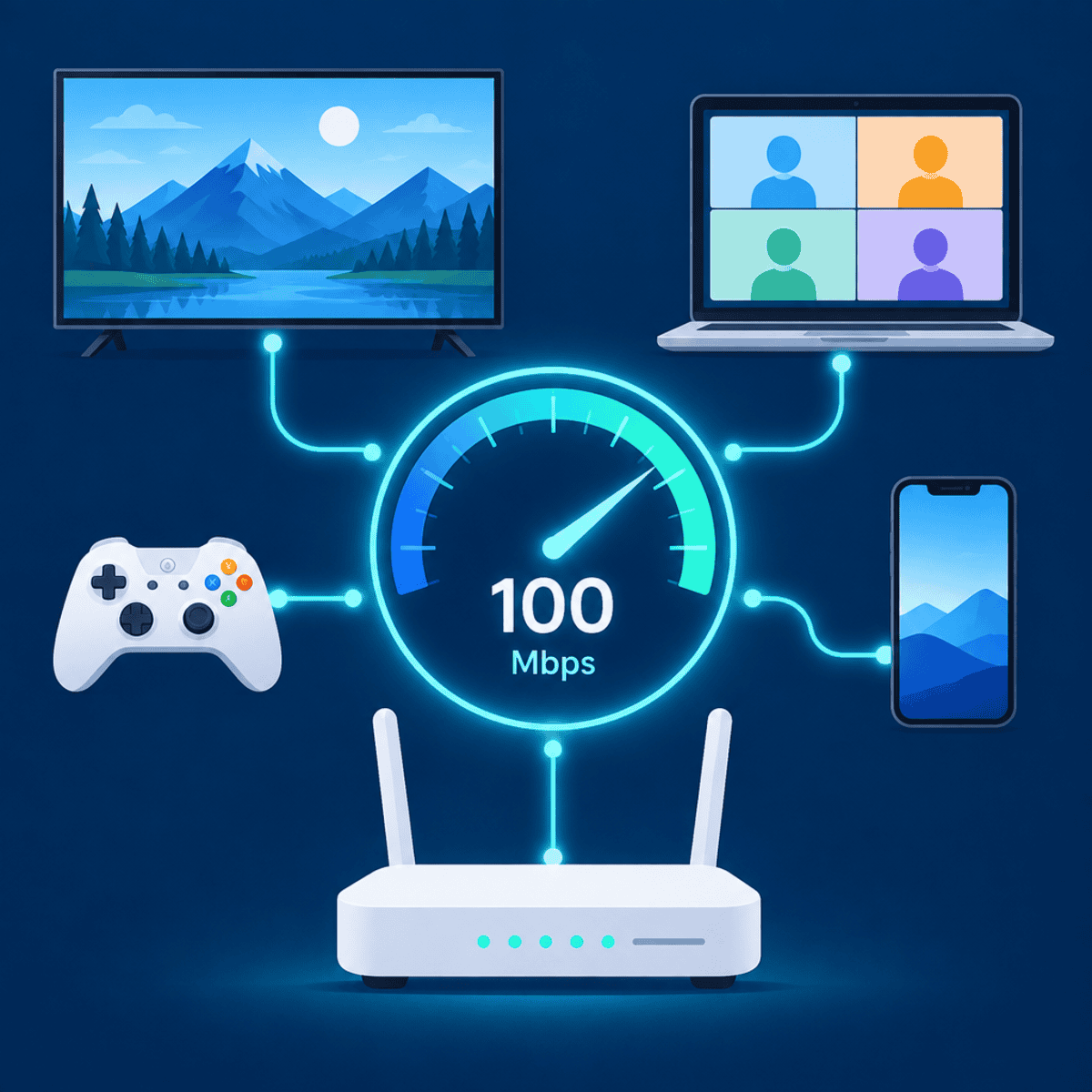
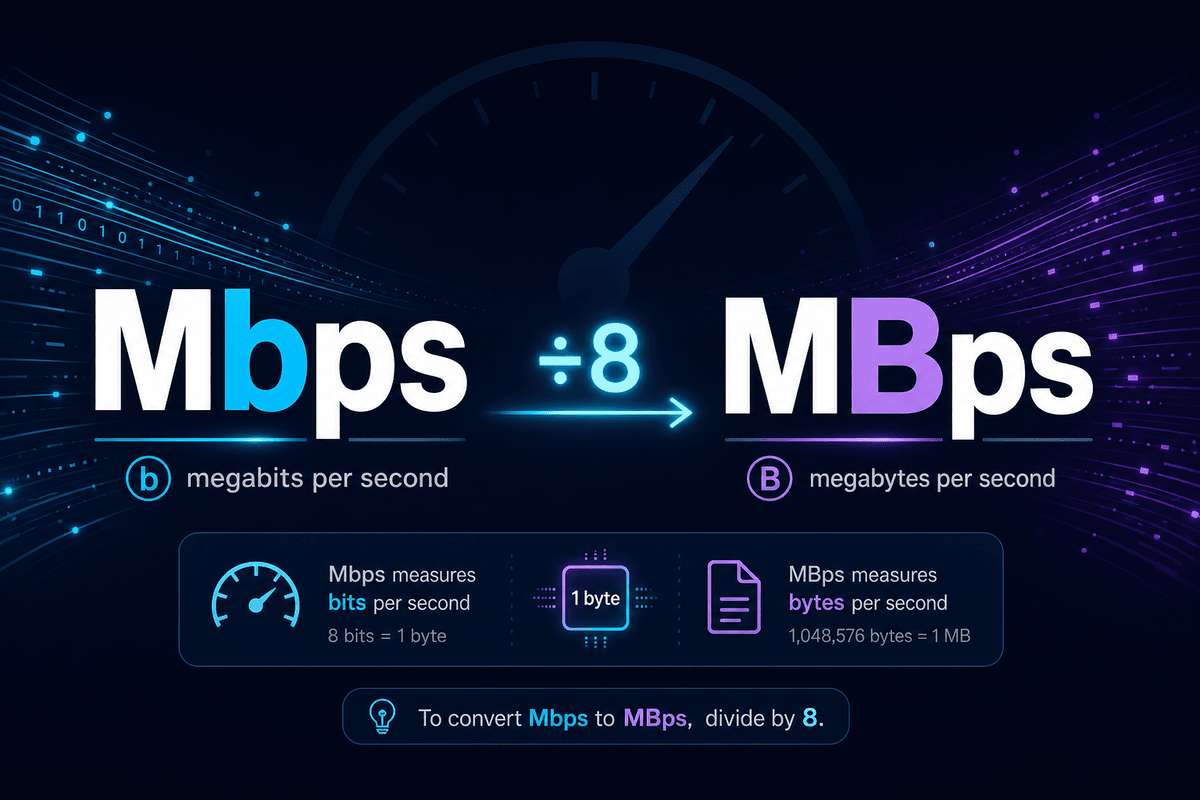
If your internet connection is already slow, VPN overhead becomes more noticeable. A 10% reduction on a 100 Mbps connection (10 Mbps loss) is less impactful than the same percentage on a 20 Mbps connection (2 Mbps loss). If you're experiencing slow internet speeds, addressing those issues first will improve your VPN experience.
5. VPN Protocol Used
Different VPN protocols have very different speed characteristics. WireGuard (and protocols built on it) is usually considerably faster than OpenVPN, especially on phones and routers, with modern cryptography. The protocol you choose has the biggest impact on your VPN speed after server distance.
How Much Speed Loss Is Normal With a VPN?
Not all VPNs are created equal when it comes to performance. Exact numbers depend on your connection, the server and the protocol, so treat the following as a guide and measure your own setup:

VPN Speed Loss by Provider Type
| VPN Setup | Typical Speed Impact | Security Level | Best For |
|---|---|---|---|
| Paid VPN, WireGuard-based protocol, nearby server | Smallest | Excellent | Daily use, streaming, gaming |
| Paid VPN, OpenVPN protocol | Moderate | Excellent | Restrictive networks, compatibility |
| Free VPNs | Often large (limited capacity, caps) | Poor to Moderate | Occasional light browsing only |
| Browser VPN or proxy extensions | Varies; only browser traffic | Basic | Simple geo-unblocking |
Warning About Free VPNs
Free VPNs often monetize your data, inject ads, or have weak security. Their slow speeds usually come from limited server capacity and bandwidth caps. For reliable performance and genuine privacy, we strongly recommend investing in a premium VPN service.
💡 Curious about your own VPN performance?
Run a speed test now with your VPN on and off, and compare results instantly. Our tool measures download, upload, and ping to give you precise metrics.
Test Your Speed NowVPN Protocols Compared: Which Is Fastest?
The VPN protocol you use has a massive impact on your connection speed. Here's a detailed comparison of the most common protocols and when to use each:
| Protocol | Speed Rating | Security | Best Use Case | Availability |
|---|---|---|---|---|
| WireGuard | ⭐⭐⭐⭐⭐ Fastest | Excellent | General use, streaming, gaming | Most modern VPNs |
| NordLynx | ⭐⭐⭐⭐⭐ Fastest | Excellent | NordVPN users seeking top speed | NordVPN only |
| IKEv2/IPSec | ⭐⭐⭐⭐ Very Fast | Very Good | Mobile devices, switching networks | Most VPNs |
| OpenVPN UDP | ⭐⭐⭐ Moderate | Excellent | Maximum security, firewall bypass | All VPNs |
| OpenVPN TCP | ⭐⭐ Slower | Excellent | Unstable connections, strict firewalls | All VPNs |
| L2TP/IPSec | ⭐⭐ Slower | Good | Legacy systems only | Being phased out |
| PPTP | ⭐⭐⭐ Fast | Poor - Avoid | Not recommended | Deprecated |
Protocol Deep Dive
WireGuard – The Speed Champion
WireGuard is a modern VPN protocol that's revolutionizing the industry. With only about 4,000 lines of code (compared to OpenVPN's 100,000+), it's lightweight, auditable, and incredibly efficient.
- Usually considerably faster than OpenVPN, especially on phones and routers
- Uses modern cryptography (ChaCha20, Curve25519, BLAKE2s)
- Excellent for mobile devices with better battery life
- Seamless reconnection when switching networks
OpenVPN – The Reliable Workhorse
OpenVPN has been the industry standard for years. While not the fastest, it's highly configurable and can bypass most firewalls. Use UDP for speed, TCP for reliability on unstable connections.
- Battle-tested security with extensive auditing
- Works on virtually any device and operating system
- Can be configured for maximum security or speed
- TCP mode works through restrictive firewalls
IKEv2/IPSec – Mobile Optimized
IKEv2 excels on mobile devices with its MOBIKE protocol that maintains connections when switching between WiFi and cellular networks. It's fast and secure, making it ideal for smartphones.
- Excellent stability when switching networks
- Very fast connection establishment
- Built into iOS and most mobile platforms
- Strong security with proper implementation
For the best balance of speed and security, we recommend WireGuard or NordLynx as your default protocol. Switch to OpenVPN only when you need to bypass strict firewalls or require maximum configuration flexibility.— Our recommendation

10 Proven Tips to Improve VPN Speed
You don't have to accept slowdowns as "normal." These proven strategies can significantly improve your VPN performance:
Physical distance directly impacts latency. A server 100 miles away will always be faster than one 5,000 miles away. Most VPN apps show server distance or ping times.
If your VPN supports it, switching from OpenVPN to WireGuard often improves speed noticeably. Most major VPN providers now offer WireGuard in their settings.
Many VPN apps display server load percentages. Choose servers with less than 50% load when possible. Some providers have "Quick Connect" features that automatically select the fastest server.
Ethernet cables provide more stable speeds than WiFi. The encryption overhead is handled more efficiently with consistent connection quality. Learn more in our WiFi speed improvement guide.
A simple restart clears cached data and refreshes connections. This often resolves unexplained slowdowns and connection issues. Check out our router configuration best practices for optimal settings.
Firewalls and antivirus software can interfere with VPN connections. If you experience unusual slowdowns, try temporarily disabling them to identify the cause.
Split tunneling lets you route only specific apps through the VPN. Local traffic like printing or local streaming can bypass the VPN, reducing encryption overhead.
VPN providers regularly release updates that improve speed and stability. An outdated app may not support the latest protocols or optimizations.
Some VPNs let you use custom DNS servers. Fast public DNS like Cloudflare (1.1.1.1) or Google (8.8.8.8) can improve browsing speeds when the VPN's default DNS is slow.
If you're using a free or budget VPN and consistently experience slow speeds, upgrading to a premium provider like NordVPN can make a dramatic difference.
Which VPNs Are the Fastest?
Speed rankings depend heavily on where you are and which server you use — PCMag, which has run VPN speed tests for more than a decade, notes that the fastest VPN for its test bench may not be the fastest for you. In its latest round of testing, NordVPN came out on top. These providers all offer a fast modern protocol:
| VPN Provider | Fast Protocol | Based On |
|---|---|---|
| NordVPN | NordLynx | WireGuard |
| ExpressVPN | Lightway | Own open-source protocol |
| Surfshark | WireGuard | WireGuard |
| Private Internet Access | WireGuard | WireGuard |
| Mullvad | WireGuard | WireGuard |
Why NordVPN Does Well in Speed Tests
NordVPN's results in independent speed tests come down to a few technical factors:
- NordLynx protocol: built on WireGuard, with an added layer for privacy
- Large server network: a nearby, lightly loaded server is usually available
- High-capacity servers: NordVPN says it has upgraded much of its network to 10 Gbps servers
- Automatic server selection: Quick Connect picks a recommended server for you
Can a VPN Actually Improve Your Internet Speed?
While VPNs typically slow connections, there are scenarios where they can actually improve your speeds. Understanding what affects your internet speed helps you identify when a VPN might help:
ISP Throttling
If your ISP intentionally slows certain traffic (streaming, gaming, torrents), a VPN hides what you're doing. Without visibility into your traffic, the ISP can't throttle selectively, potentially restoring full speeds.
Better Routing
Sometimes your ISP's routing to certain destinations is inefficient. A VPN server with better peering agreements may provide a more direct path, reducing latency to specific websites or game servers.
Peak Hour Congestion
During peak usage times, some ISPs experience congestion at their exchange points. Routing through a VPN server can sometimes bypass these congested pathways.
Geographic Restrictions
Content providers sometimes limit bandwidth based on location. Connecting through a VPN in a different region may provide access to faster servers or unrestricted speeds.
Pro Tip: Test for ISP Throttling
Run a speed test without VPN during peak hours (evening), then with VPN. If VPN speeds are notably faster for specific activities like streaming, your ISP may be throttling that traffic.
How to Test Your VPN Speed – Step by Step
The most accurate way to measure VPN impact is to compare speeds with and without VPN connected. Here's the proper testing methodology:
VPN Speed Test Procedure
Make sure you're not connected to any VPN service.
Record your download, upload, and ping without VPN.
Choose a server close to your physical location.
Measure download, upload, and ping with VPN active.
Compare results. A small loss on a nearby server is normal; a large loss means it is worth trying another server or protocol.
Ready to Test Your VPN Speed?
Use our accurate speed test to measure your connection with and without VPN. Get instant results for download, upload, and ping.
Start Speed TestFrequently Asked Questions About VPN Speed
Does a VPN slow down internet speed?
How much speed do you lose with a VPN?
What is the fastest VPN protocol?
Can a VPN improve internet speed?
How can I test if my VPN is slowing down my internet?
Why is my VPN connection so slow?
Does VPN affect gaming ping?
Should I use a VPN on WiFi?
Where You Run the VPN Changes the Result
The same VPN service, the same server and the same protocol can produce wildly different speeds depending on which piece of hardware does the encrypting. Encryption is processor work, and the processor in a router is a fraction of the one in a laptop.
| Where the VPN runs | Typical ceiling | Notes |
|---|---|---|
| Modern laptop or desktop | 500–950 Mbps | Hardware AES support; rarely the bottleneck |
| Current flagship phone | 300–700 Mbps | Battery saver modes can cut this sharply |
| Older phone or tablet | 50–150 Mbps | Encryption handled largely in software |
| Consumer router, VPN client | 20–100 Mbps | The most common cause of unexplained slowdowns |
| Prosumer router with crypto offload | 200–500 Mbps | Look for dedicated hardware acceleration |
| Small home server or mini PC | 400–900 Mbps | Best option for whole-home coverage |
Router-level VPN is the classic trap. It is genuinely convenient: every device in the home is covered, including smart TVs and consoles that have no VPN app of their own. But a typical consumer router tops out somewhere between 20 and 100 Mbps of encrypted throughput, so on a 500 Mbps line you give up most of your connection for that convenience.
- Check before you commit. Test wired to the router with the VPN off, then on. If the second figure is far below your plan, the router — not the VPN provider — is the limit.
- Prefer WireGuard on routers. It is dramatically lighter than OpenVPN and often doubles or triples a router's encrypted throughput.
- Cover only what needs covering. Running the VPN on individual devices keeps everything else at full speed and takes the router out of the equation.
- Consider a dedicated device. A cheap mini PC acting as the VPN gateway removes the ceiling entirely while keeping whole-home coverage.
When the VPN Is Only Slow Sometimes
Intermittent slowdowns are harder to diagnose than constant ones, because the obvious suspects — protocol, distance, provider — are unchanged between a good run and a bad one. Work through the possibilities in this order; each one is quick to rule out.
- Is it the time of day? Test the same server at midday and at 9 pm. A large evening gap points at server load or at congestion on your own line, not at the VPN software.
- Is it one server or all of them? Switch to a second server in the same city. If the problem disappears, the first one was simply busy.
- Is it the VPN at all? Disconnect and repeat the test. If the unprotected line is also slow, you are troubleshooting the wrong thing — start with your own network instead.
- Is it WiFi? Repeat the test on Ethernet. Wireless variability is mistaken for VPN variability more often than anything else on this list.
- Is it one application? If only one app crawls while general downloads are fine, the destination service may be rate-limiting traffic from VPN address ranges.
- Is it packet fragmentation? Symptoms are downloads that stall rather than run slowly, often on mobile networks. Lowering the MTU in the VPN client settings, typically to around 1400, usually clears it.
Keep the outcome of each step written down. Two or three logged rounds at different times of day almost always identify the pattern, and they give a VPN provider's support team something concrete to work with rather than an impression. For the measurement side, our guide to testing internet speed correctly covers the conditions that make repeated tests comparable.
How Much the Slowdown Actually Matters
A percentage loss sounds alarming in isolation. What matters is whether the remaining speed still clears the bar for what you are doing — and for most activities, it does with room to spare.
| Activity | What it needs | Comfortable on a 100 Mbps line with VPN? |
|---|---|---|
| HD streaming | 5–8 Mbps | Yes, many times over |
| 4K streaming | 25 Mbps | Yes |
| Video calls | 3–5 Mbps up and down | Yes, if latency stays reasonable |
| Competitive gaming | Low ping matters more than speed | Playable, but expect added latency |
| Large file downloads | As much as available | Noticeably slower, but workable |
| Cloud backup | Upload bound | Slower; schedule it overnight |
The uncomfortable cases are narrow: competitive gaming, where the added round trip is felt directly, and very large transfers, where a third less throughput turns into real waiting time. Both are good candidates for split tunnelling — the VPN stays on for browsing and everything private, while the game or the transfer takes the direct route.
Latency is worth separating from throughput here. Encryption itself adds barely a millisecond; the distance to the exit server adds the rest. A server in your own city might add 5–10 ms, one on another continent 150 ms or more. If responsiveness matters, choose by ping rather than by advertised server speed, and confirm it with a ping test before and after connecting.
Conclusion: Balance Speed and Security
Yes, a VPN will slow down your internet somewhat — usually only a little with a good provider, a nearby server and a modern protocol. But for most users, this trade-off is absolutely worth it for the privacy, security, and freedom a VPN provides. The key is choosing the right provider and optimizing your settings.
Key Takeaways
- With a nearby server and a WireGuard-based protocol, speed loss is usually small
- WireGuard-based protocols are usually considerably faster than OpenVPN
- Connect to nearby servers for best speeds
- A VPN can occasionally speed up a service your provider slows or routes poorly
- Always test your specific setup to understand the actual impact
For gamers concerned about latency, check our comprehensive gaming ping guide. If you stream frequently, our guide on internet speeds for streaming will help you determine if your VPN-affected speeds are sufficient.
If you're looking for a fast, reliable VPN that won't noticeably slow your connection, we recommend NordVPN — it consistently delivers the best speeds in our testing while providing top-tier security.
Don't Miss This NordVPN Deal
Join 14M+ users who trust NordVPN for fast, secure internet
Ready to optimize your connection?
Use our free speed test tool to measure your VPN's impact, and check out our guide on what makes a good ping for gaming if you're concerned about latency.