
"Do I have good internet speed?" – It's one of the most common questions in our digital age, yet the answer isn't straightforward. What qualifies as "good" depends entirely on how you use the internet: casual browsing requires far less bandwidth than 4K streaming or competitive online gaming.
In this comprehensive guide, we'll break down exactly what internet speeds you need for every activity, how to test your connection accurately, and what to do if your speeds fall short. Whether you're a solo user or managing a busy household with multiple devices, you'll find clear benchmarks and actionable advice to ensure your internet meets your needs.
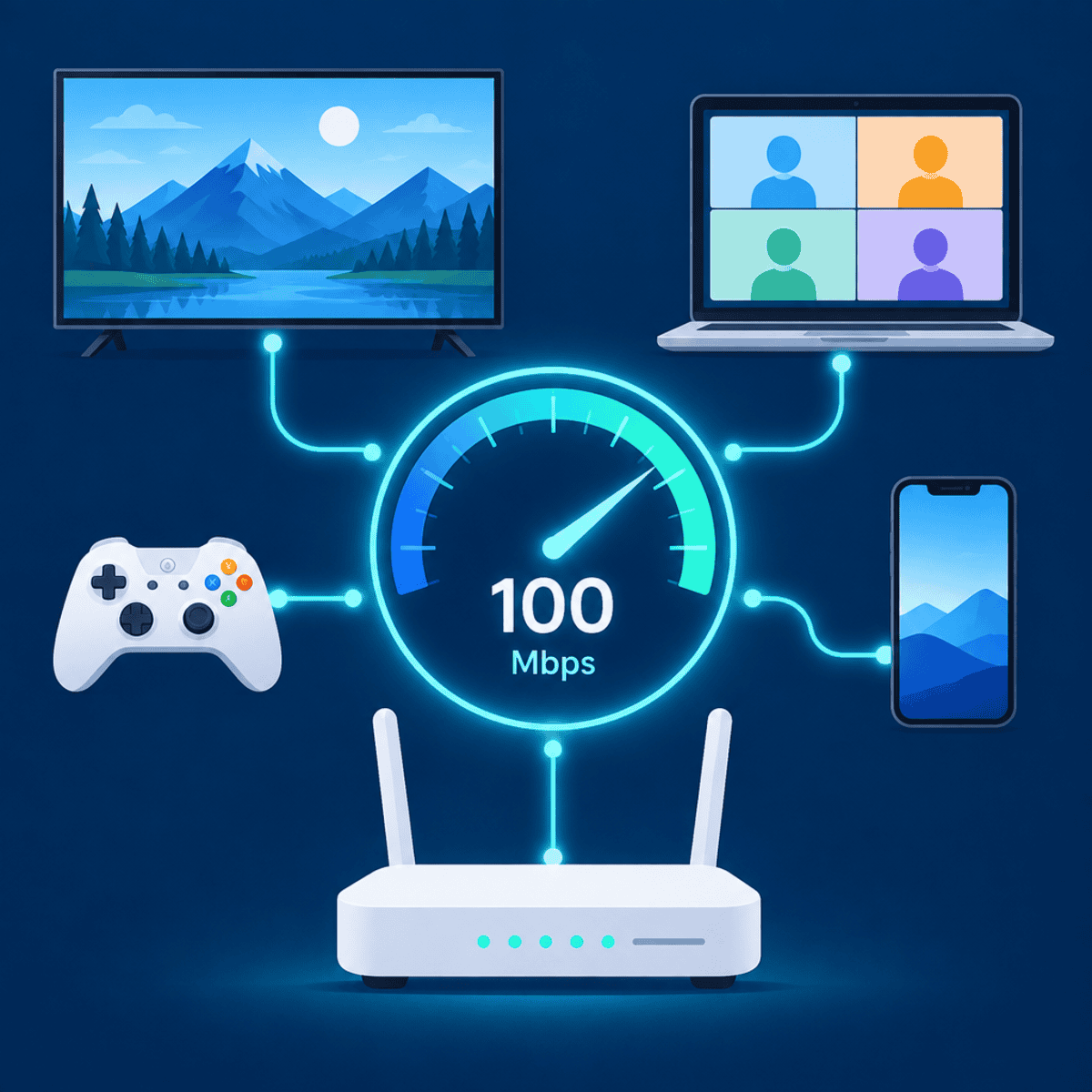
A good internet speed for most households is 100–200 Mbps download and 20–50 Mbps upload. This handles 4K streaming, video calls, and online gaming for 3–5 devices simultaneously. Single users can get by with 25–50 Mbps; heavy households with smart-home gear and frequent uploads should target 300 Mbps or more.
What Exactly Is Internet Speed?
Internet speed refers to how quickly data transfers between the internet and your devices. It's measured in Megabits per second (Mbps) – the higher the number, the faster data moves (not to be confused with megabytes per second — see our understanding Mbps vs MBps guide). But speed isn't just one number; it consists of three key components:
Download Speed
How fast you receive data from the internet. Crucial for streaming, browsing, downloading files, and loading web pages. This is what ISPs primarily advertise.
Upload Speed
How fast you send data to the internet. Essential for video calls, uploading files, live streaming, and cloud backups. Often overlooked but critical for remote work.
Ping / Latency
The delay between sending a request and receiving a response, measured in milliseconds (ms). Lower is better – crucial for gaming and real-time applications.
Recommended Internet Speeds by Activity
Here's a comprehensive breakdown of what speeds you actually need for common online activities. These are generous planning allowances per activity – if multiple people or devices do these simultaneously, add up the requirements:
| Activity | Download Speed | Upload Speed | Ideal Ping |
|---|---|---|---|
| Basic web browsing | 3-5 Mbps | 1 Mbps | < 100 ms |
| Email & social media | 5-10 Mbps | 2-3 Mbps | < 100 ms |
| HD video streaming (1080p) | 10-15 Mbps | 3 Mbps | < 100 ms |
| 4K UHD streaming | 25-50 Mbps | 5 Mbps | < 100 ms |
| Video conferencing (Zoom, Teams) | 10-25 Mbps | 5-10 Mbps | < 50 ms |
| Group video calls (5+ people) | 25-50 Mbps | 10-20 Mbps | < 50 ms |
| Casual online gaming | 15-25 Mbps | 5 Mbps | < 50 ms |
| Competitive gaming (FPS, MOBA) | 25-50 Mbps | 10 Mbps | < 20 ms |
| Cloud gaming (GeForce NOW, Xbox Cloud) | 35-75 Mbps | 10 Mbps | < 40 ms |
| Live streaming (Twitch, YouTube) | 25-50 Mbps | 15-25 Mbps | < 50 ms |
| Large file downloads/uploads | 100+ Mbps | 50+ Mbps | N/A |
| Smart home (10+ devices) | 50-100 Mbps | 10-20 Mbps | < 100 ms |
Internet Speed Tiers: What's Right for You?
Internet providers typically offer plans in speed tiers. Here's how each tier performs for different household scenarios:
Basic
25-50 Mbps
Best for: 1-2 light users
- Web browsing
- HD streaming (1 device)
- Email & social media
Standard
100-200 Mbps
Best for: 3-5 users / families
- Multiple HD/4K streams
- Video calls + streaming
- Online gaming
Advanced
300-500 Mbps
Best for: Power users / large households
- Multiple 4K streams
- Competitive gaming
- Fast large downloads
Gigabit
1000+ Mbps
Best for: Enthusiasts / home offices
- Everything, instantly
- 4K live streaming
- Future-proof
For most households today, the 100-200 Mbps tier offers the best balance of performance and value. Only upgrade to higher tiers if you regularly experience slowdowns or have specific high-bandwidth needs.— SpeedCheck Recommendation
Wondering whether the entry level of that tier is enough for your own home? Our detailed breakdown of whether 100 Mbps is fast puts real download times and per-activity bandwidth figures next to each other.
Why Ping Matters (Especially for Gamers)
Even with lightning-fast download speeds, high latency (ping) can make your internet feel sluggish. Ping measures the round-trip time for data to travel between your device and a server – it's particularly critical for real-time applications:
0-20ms
Excellent
Pro gaming, VR
20-50ms
Good
Most gaming, video calls
50-100ms
Acceptable
Casual use, streaming
100ms+
Poor
Noticeable delays
How to Check If Your Internet Speed Is Good
The only way to know if your internet is truly "good enough" is to measure it. Follow our full how to test your speed walkthrough, or use the quick steps below for accurate speed test results:
Use a wired connection if possible
WiFi adds variability. For the most accurate results, connect your device directly to your router with an ethernet cable.
Close background applications
Downloads, streaming, and cloud syncing can affect your results. Pause them temporarily.
Test at different times of day
Internet speeds fluctuate. Test during peak hours (7-10 PM) and off-peak for a complete picture.
Run multiple tests
Single tests can be anomalies. Run 3-5 tests and average the results for accuracy.
Compare to your plan
Compare repeated wired results with your plan's typical speeds. If they are consistently below them, contact your ISP.
Test Your Internet Speed Now
Get accurate measurements of your download, upload, and ping speeds in under 60 seconds
Run Free Speed TestConnection Types: Which Delivers the Best Speed?
Not all internet connections are created equal. The type of connection you have fundamentally affects the speeds you can achieve:
| Connection Type | Typical Speed | Latency | Best For |
|---|---|---|---|
| Fiber Optic | 100-2000 Mbps | 1-10 ms | Highest performance, future-proof |
| Cable | 25-1000 Mbps | 15-30 ms | Good balance of speed and availability |
| DSL | 5-100 Mbps | 25-50 ms | Widely available, budget-friendly |
| 5G Home Internet | 100-1000 Mbps | 20-40 ms | No wires, growing coverage |
| 4G LTE Fixed Wireless | 25-100 Mbps | 30-60 ms | Rural areas, alternative to DSL |
| Geostationary satellite | 25-150 Mbps | 500-700 ms | Remote areas; LEO satellite has far lower latency |
12 Factors That Affect Your Real-World Speed
Even with a high-speed plan, many factors can reduce your actual performance. Understanding these helps you diagnose and fix speed issues:
🏠 Inside Your Home
- Router age and quality (5+ years = upgrade time)
- WiFi interference from neighbors and appliances
- Distance from router and obstacles (walls, floors)
- Number of connected devices
- Outdated network drivers or firmware
- Background applications consuming bandwidth
🌐 Outside Your Control
- Network congestion during peak hours
- Distance from ISP infrastructure
- ISP throttling for specific activities
- Server-side limitations on websites
- Peering agreements between networks
- Weather (for satellite and some wireless)
Special Use Cases: Detailed Requirements
Remote Work & Video Conferencing
For reliable remote work, you need consistent speeds rather than peak performance. Video calls are particularly demanding on upload speeds, which many plans shortchange.
- • 1-on-1 calls: 10 Mbps down / 5 Mbps up
- • Group calls (5+ people): 25 Mbps down / 10 Mbps up
- • Screen sharing + video: 25 Mbps down / 15 Mbps up
- • Ideal ping: Under 50ms
→ Good internet speed for remote work, in depth
Online Gaming
Games use surprisingly little bandwidth – but they're very sensitive to latency and packet loss. A stable, low-ping connection matters more than raw speed.
- • Casual gaming: 15-25 Mbps, ping under 50ms
- • Competitive FPS/MOBA: 25-50 Mbps, ping under 20ms
- • Cloud gaming: 35-75 Mbps, ping under 40ms
- • Game downloads: 100+ Mbps (for reasonable download times)
Streaming (Netflix, YouTube, etc.)
Streaming quality is directly tied to your download speed. Each stream needs its own bandwidth allocation, so multiply requirements by the number of simultaneous streams.
- • SD (480p): 3-5 Mbps per stream
- • HD (1080p): 10-15 Mbps per stream
- • 4K UHD: 25-50 Mbps per stream
- • 8K (emerging): 100+ Mbps per stream
Using a VPN? Here's What to Expect
VPNs add encryption and route your traffic through additional servers, which can reduce your speed. However, with modern protocols and quality providers, the impact is minimal:
- Good paid VPNs on a nearby server: usually a small speed reduction
- Free VPNs: often much slower because of limited capacity, plus security risks
- Modern protocols (WireGuard, NordLynx): Faster than older OpenVPN
- Server proximity matters: Choose servers near your location
- Occasionally faster, when your provider slows or poorly routes specific traffic
Frequently Asked Questions
What is considered a good internet speed in 2026?
In 2026, a good internet speed for most households is 100-200 Mbps download and 20-50 Mbps upload. This allows for 4K streaming, video calls, gaming, and multiple devices simultaneously. Light users may be fine with 25-50 Mbps, while power users and large families should aim for 300+ Mbps.
Is 100 Mbps fast enough for a family of 4?
Yes, 100 Mbps is generally sufficient for a family of 4 with typical usage including HD streaming, video calls, and web browsing. However, if multiple family members stream 4K content, game online, or work from home simultaneously, upgrading to 200-300 Mbps provides a better experience.
Why is my internet slow even though I have high speed?
High advertised speeds don't guarantee fast real-world performance. Common causes include: WiFi interference, outdated router, network congestion during peak hours, too many connected devices, ISP throttling, or distance from the router. Run a speed test to check your actual speeds.
What's the difference between download and upload speed?
Download speed measures how fast you receive data from the internet (streaming, browsing, downloading files). Upload speed measures how fast you send data (video calls, uploading files, live streaming). Most activities require more download than upload speed, but remote work and content creation need strong upload speeds.
Is fiber internet worth it over cable?
Fiber internet offers significant advantages: symmetrical upload/download speeds, lower latency, more reliable connections, and future-proof bandwidth. It's especially valuable for remote workers, gamers, and households with heavy internet usage. The main drawback is limited availability and sometimes higher cost.
What internet speed do I need for 4K streaming?
For reliable 4K streaming, you need at least 25 Mbps per stream. Netflix recommends 15 Mbps for 4K and YouTube recommends 20 Mbps; extra headroom helps on shared connections. For multiple simultaneous 4K streams, multiply accordingly – two streams need 50 Mbps, three need 75 Mbps, plus additional bandwidth for other activities.
Does ping matter more than speed for gaming?
For online gaming, especially competitive titles, ping (latency) often matters more than raw download speed. A connection with 50 Mbps and 15ms ping will feel much better for gaming than 500 Mbps with 100ms ping. Ideal gaming ping is under 30ms, with under 20ms being excellent.
How can I test if my internet speed is good?
Use a reliable speed test tool like SpeedCheck to measure your download speed, upload speed, and ping. Test multiple times at different hours to get an accurate picture. Compare repeated wired results with the typical speeds on your plan's Broadband Facts label and your plan terms.
What to Do If Your Speed Isn't Good Enough
Before fixing anything, work out which number is actually short. Three quick checks narrow it down:
- Download below your activity’s needs? Compare it with the table above and with the speed on your plan.
- Upload is the weak spot? Frozen video on calls and slow cloud backups point here, especially on cable and DSL plans.
- Speeds look fine but things still lag? That is usually latency or latency under load, not bandwidth, so more Mbps will not help.
Once you know the weak spot, work through these solutions in order – from free fixes to plan upgrades – and re-run the speed check after each change so you can see what actually made a difference:
🆓 Free Fixes (Try First)
- • Restart your router and modem
- • Reposition router to central location
- • Switch to 5GHz WiFi band
- • Change WiFi channel to reduce interference
- • Update router firmware
- • Disconnect unused devices
💰 Investments (If Needed)
- • Upgrade to a modern WiFi 6/6E router
- • Add mesh WiFi for better coverage
- • Use ethernet cables for critical devices
- • Install powerline adapters for distant rooms
- • Upgrade your internet plan
- • Switch ISPs (consider fiber if available)
Reading an ISP Offer: The Details That Decide Real Speed
The headline number on a provider's landing page is the least informative part of the offer. Six details further down the page determine whether the connection will feel good in daily use — and they are the ones worth comparing when two plans quote the same download speed.
| Detail in the offer | Why it matters | What to look for |
|---|---|---|
| Upload speed | Decides video calls, cloud backup, uploads | At least 10% of download; symmetrical on fiber |
| Advertised vs typical speeds | Typical speeds set realistic expectations | Typical download and upload on the Broadband Facts label |
| Data cap | Overage fees or throttling after the cap | Unlimited, or above 1.2 TB |
| Router included or rented | A weak rental router caps a fast plan | Own hardware allowed, WiFi 6 or newer |
| Contract length and price after promo | The promo price often doubles later | The post-promotion monthly price |
| Public IPv4 or CGNAT | Affects remote access, hosting, some games | A public address, if you need one |
Upload deserves the most attention, because it is where technologies differ most sharply. Cable plans typically pair a generous download with a thin upstream, while fiber usually offers symmetrical speeds. Two plans both advertised as 500 Mbps can therefore behave completely differently in a video meeting — see upload vs download speed for the full picture, and broadband vs fiber for how the underlying technologies compare.
One figure deserves a closer look on the Broadband Facts label: typical latency. It is also the one that most shapes how responsive a connection feels. Fiber typically lands at 5–15 ms, cable at 15–30 ms, fixed wireless at 30–60 ms, and geostationary satellite well above 500 ms. If two offers look equivalent on paper, latency is the tie-breaker.
When a Faster Plan Changes Nothing
Upgrading from 50 to 200 Mbps transforms a busy household. Upgrading from 500 Mbps to 1 Gbps usually changes nothing you can perceive. The reason is that above a certain point the plan stops being the limiting factor, and everything else in the chain takes over.
- Single downloads rarely use the whole line. Most servers cap what they send to one connection. A 1 Gbps plan and a 500 Mbps plan often download the same file at the same speed, because the other end is the limit.
- Streaming bitrates are capped. A 4K stream's bitrate depends on the service, codec and content — it does not expand to fill your connection. Four of them together still fit comfortably inside 200 Mbps.
- WiFi is usually the real ceiling. If your devices connect at 400 Mbps over the air, a gigabit plan delivers gigabit speeds to your router and nothing more to your laptop.
- Latency does not improve with bandwidth. Gaming, video calls and general responsiveness depend on ping and jitter. A bigger plan on the same technology leaves those numbers unchanged.
There are genuine reasons to go past 500 Mbps: several people moving very large files, frequent multi-gigabyte game downloads, working with raw video, or simply a household where nobody should ever have to think about bandwidth. Outside those cases, the same money is better spent on a modern router, an Ethernet run to the main workstation, or a mesh node for the far end of the home.
A simple test before you upgrade: run a speed test wired at the router during your busiest evening hour. If you are already receiving most of your current plan and things still feel slow, more bandwidth is not the answer — the bottleneck is inside your home, and the factors that affect internet speed will point you to it.
Good Speed in a Shared Household
In a flatshare or a multi-generation home, "good" is less about the total number and more about how fairly it gets divided. A 300 Mbps line feels excellent until one person starts a console update and everyone else drops out of their calls. The fix is rarely a bigger plan — it is a router that shares the line sensibly.
- Turn on smart queue management. Most routers offer QoS or SQM. It keeps one heavy download from monopolising the line and typically removes the lag spikes everyone complains about.
- Give work and study devices priority. A rule that ranks the work laptop and the family tablet above game consoles costs nothing and prevents most conflicts.
- Schedule the heavy jobs. Console and PC platforms can update overnight. Cloud backups have a schedule setting too. Moving both out of the evening is the single most effective change.
- Use a separate guest network. It keeps visiting devices off the main network and makes it easy to cap them if needed.
- Wire the fixed devices. A desk PC, a TV and a console on Ethernet free the airtime that laptops and phones depend on.
If conflicts persist after all of that, the shortage is real rather than organisational — and upload is usually the part that ran out first, since several simultaneous video calls consume far more upstream than most cable plans provide.
When Your Address Limits the Choice
Plenty of homes cannot buy a fast plan at any price. If the only options are DSL, fixed wireless or satellite, "good" has to be redefined around what the technology can actually deliver — and a lot can still be done with a modest line.
| Available technology | Realistic range | What it comfortably supports |
|---|---|---|
| DSL / VDSL | 10–100 Mbps | HD streaming, calls, browsing for a small household |
| Fixed wireless (4G/5G) | 30–300 Mbps, variable | Most everyday use; evening congestion is the weak point |
| Low-orbit satellite | 50–200 Mbps, 25–60 ms | Streaming and calls; occasional short dropouts |
| Geostationary satellite | 10–50 Mbps, 500+ ms | Browsing and streaming; real-time use is impractical |
On a constrained line, discipline matters more than bandwidth. Drop default streaming quality from 4K to 1080p and you free roughly 20 Mbps per screen. Download films instead of streaming them twice. Keep automatic updates on an overnight schedule. And protect upload above all — on a 10 Mbps upstream, one cloud backup running in the background is enough to ruin every call in the house.
It is also worth re-checking availability once or twice a year. Fiber rollouts and new fixed-wireless cells arrive without any announcement to existing customers, and many households stay on an old plan long after a better one became available at their address.
Final Thoughts: Finding Your "Good" Speed
There's no universal answer to "What is a good internet speed?" – it depends entirely on your household's specific needs. A single person who mainly browses and streams HD video can thrive with 50 Mbps, while a family of five with gamers, remote workers, and 4K streaming enthusiasts might need 300+ Mbps.
The key takeaways:
- 100-200 Mbps is sufficient for most households
- Upload speed matters more than ever for remote work
- Low ping is critical for gaming and video calls
- Test your actual speeds, not just your plan speeds
- WiFi optimization can unlock performance you're already paying for
- Fiber is the gold standard if available in your area
🚀 Ready to Find Out If Your Internet Is Good Enough?
Run our free speed test and compare your results to the benchmarks in this guide.
Run Free Speed Test Now